For families
My Story Kids' Storybook Maker
- Free to downloadCreate books for free. Optional extras are clearly separate.
- iPhone and iPadMake stories on whichever screen is closest.
- No adsA calm place to create.
iPhone & iPad
My Story on iPad and iPhone lets kids draw with a finger or Apple Pencil, record their own voice and turn every page into a book they can print. Free to download, with no ads.
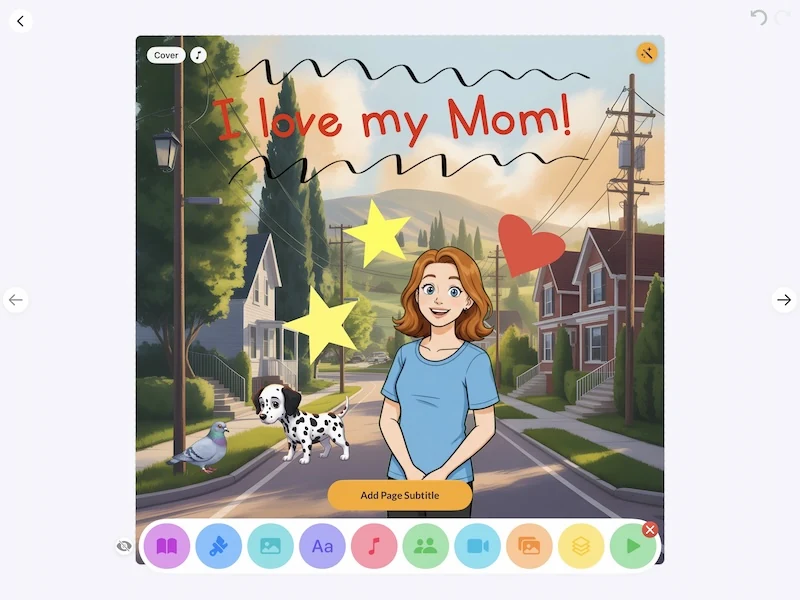
The book editor in the My Story iPad app.
Made for touch
Everything kids love about My Story, on the screens they already reach for.
Pick a brush, a color and a size, then sketch right on the page. Pencil or fingertip, it feels natural.
Kids read each page aloud and keep it with the book. Re-record until it's just right.
Turn a finished story into a movie with its voice and page turns, ready to share with the family.
Order a printed copy of any story, with every page previewed first. How printing works.
Stories don't wait for the kitchen table. Make a page in the back seat, the waiting room or on the couch.
On a computer or Chromebook? My Story runs in any browser too, with nothing to install.
Two apps
Families use the free app. For classrooms, we're building a School Edition for Chromebooks and the web, with the iPad app joining the same classes.
For families
For classrooms Coming soon
Download My Story from the App Store onto an iPad or iPhone.
Pick an author, then start a new book. No account is needed to start, and a grown-up can sign in later to sync books with the web.
Pick a character, draw a page, write a few words and record a voice. That's a book.
What you need. An iPhone or iPad with iOS or iPadOS 17.6 or later. Apple Pencil is optional, since fingers work great too.
Questions
Yes. My Story is free to download and free to make books in. Optional extras, like Story Sparks and printed books, cost extra and are bought by a grown-up.
Yes. The same app runs on iPhone and iPad. A bigger iPad screen is nice for drawing, and an iPhone is perfect for quick pages on the go.
Yes. Kids can draw with an Apple Pencil or just a finger.
Yes. Sign in to the same My Story account in the app and on the web, and your books stay in sync. My Story on the web.
My Story isn't in Google Play, but it works in any modern browser, including on Chromebooks. Try it on the web.
We're building a School Edition for Chromebook classrooms, and the iPad app will be able to join the same classes. Join the waitlist and tell us which devices your students use.
Free on iPad and iPhone, and in any web browser.