No Ads, No In-App Purchases
A one-time purchase and nothing else. No third-party ads, no upsells mid-lesson, and no outside company advertising to your students — which is usually the first question a district asks.
My Story School Edition
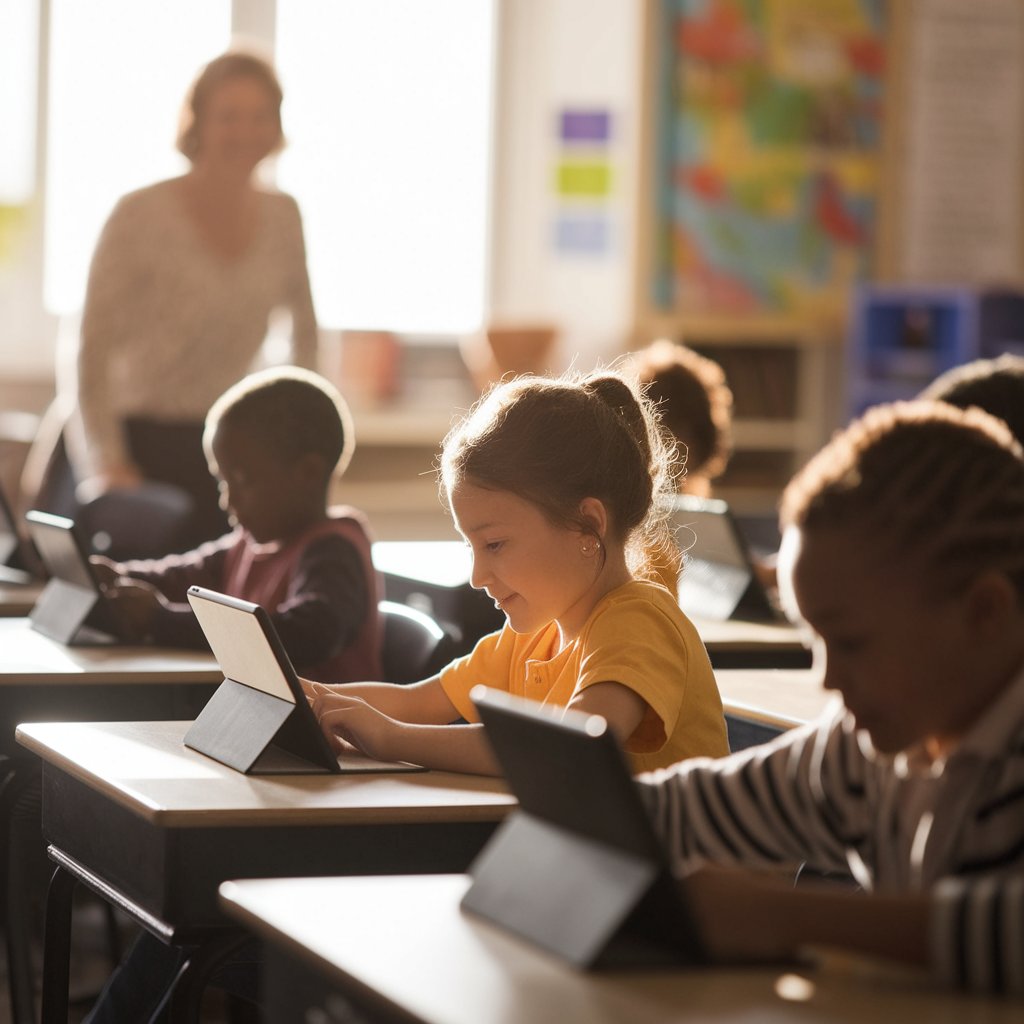
My Story School Edition is the classroom version of the My Story storybook maker. Students write text, draw and paint, add photos and stickers, and record their own voice on every page to publish a finished digital storybook. Teachers get the tools a real classroom needs: Teacher PIN codes and multiple PIN-protected student profiles on a single shared iPad — with no ads and no in-app purchases anywhere in the app.
Teachers use it as a creative writing app for elementary school, a classroom storytelling tool for iPad, and a way to give reluctant writers a reason to finish a draft — because at the end of it, they hold a real book.
My Story has been helping students turn imagination into published books for over a decade.
Shared devices, a roster that changes, a district that asks about ads and data, and twenty-five students who all need to be doing something. The School Edition is designed around those constraints, not around a demo.
A one-time purchase and nothing else. No third-party ads, no upsells mid-lesson, and no outside company advertising to your students — which is usually the first question a district asks.
Built for shared device carts. Each student gets their own PIN-protected profile and their own library, so third period's work stays separate from first period's.
Teacher PIN codes gate settings and classroom controls so students stay in the creative tools and out of the configuration screens.
Generate a starter story on any topic to scaffold a prompt, unblock a stuck writer, or differentiate the same assignment across reading levels in seconds.
Students narrate each page in their own voice, illustrate with kid-friendly drawing tools, and add background music — strong support for fluency practice and for emerging writers whose ideas outrun their spelling.
Turn a finished unit into a professionally printed physical book delivered by mail. A published class anthology on the shelf changes how students think about their own writing.
AI content moderation keeps generated content age-appropriate, and the app is built around children's privacy following COPPA guidelines. See our Privacy Policy.
Set up once, then run it as a station, a full-class unit, or an independent project. Most students can start creating with very little instruction, which is what makes it work with a room full of different reading levels.
Deploy through Apple School Manager and set a Teacher PIN. Give each student a profile on the shared iPad with their own PIN.
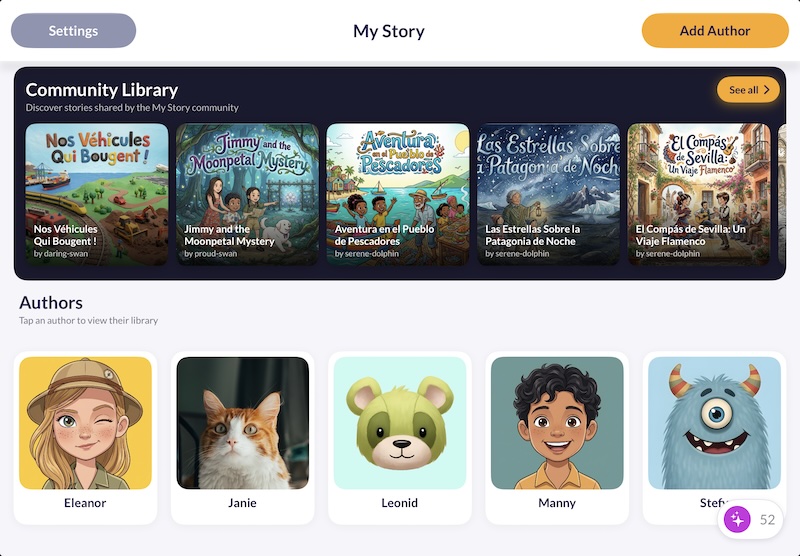
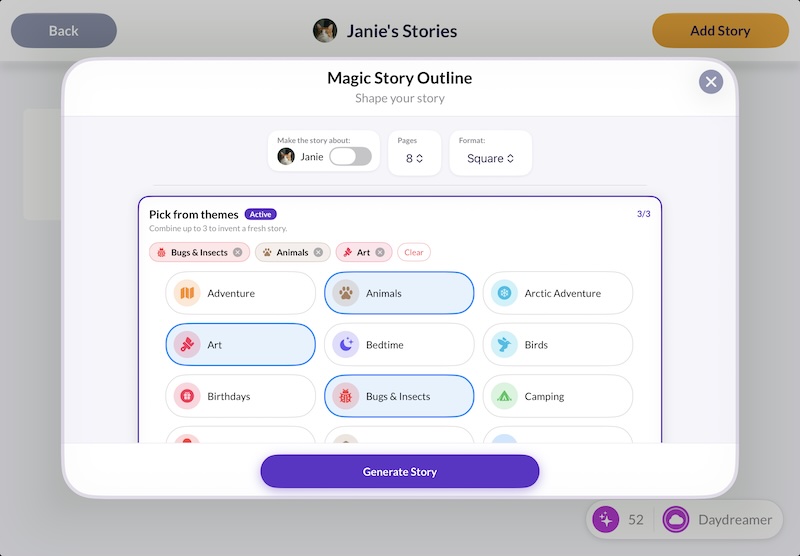
Start students from a blank canvas, or use a Magic Story Outline to scaffold the assignment and differentiate it across reading levels without writing three versions yourself.
They add text, illustrate each page, and record their own voice. Students who struggle to get words on paper often say the whole story out loud first — and then write it down.
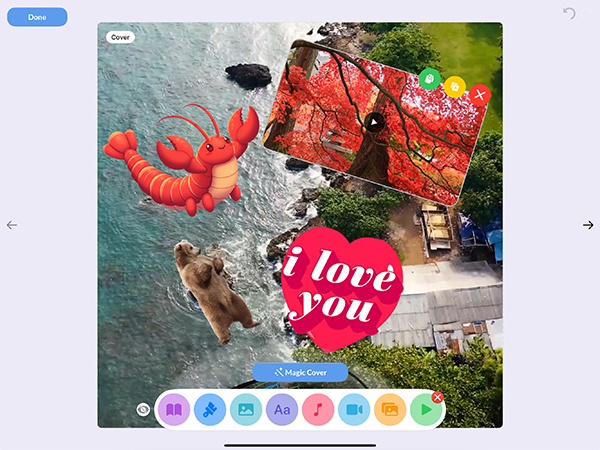
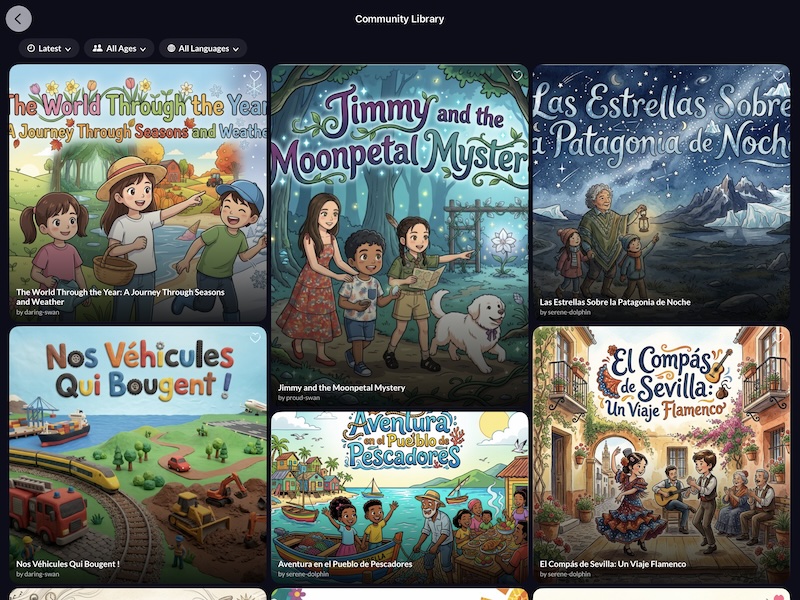
Export the story as a movie for a parent night, or order a professionally printed book for the classroom library. Publication is the part students remember.
Both build the same kind of book. The School Edition adds classroom management and removes everything a school does not want in front of students.
| Feature | Free Edition | School Edition |
|---|---|---|
| Write, draw, stickers, photos | ||
| Voice narration & music | ||
| Order a printed physical book | ||
| Magic Story Outlines | ||
| Teacher PIN & classroom controls | ||
| Multiple student profiles per device | ||
| Magic Stickers & Magic Covers (AI art) | In-app purchase | Not included — keeps the app purchase-only |
| In-app purchases | Optional | None |
| Price | Free download | One-time purchase via VPP |
From teachers, librarians, and literacy specialists using My Story with students
"I have been using My Story with my students for almost two years now and we love it!!! It is so much fun and easy to use and parents love it as well!!!!"

2nd Grade Teacher
"The user interface is intuitive and kid-friendly. Most children can begin using the My Story app with very little instruction. Students can draw, take pictures, add text, even narrate their own story! A must have app for the classroom."

Director of Digital Text Initiative
"Very easy to use. I like how you can record the text. The developer is very responsive. Kids love to see their work alongside publisher's texts in iBooks. Definitely recommended!"

Children's Librarian
One purchase per device. No subscription, no renewal, no per-student seat math at the end of the year.
The things schools ask us most before they deploy
My Story School Edition is the classroom version of the My Story storybook maker app. Students write, draw, add photos and stickers, and record their own voice narration to publish digital storybooks on iPad or iPhone. It is sold to schools as a one-time purchase, with no ads and no in-app purchases anywhere in the app.
The School Edition is a one-time purchase rather than a free download with optional in-app purchases. Both editions include the classroom essentials — Teacher PIN codes and multiple PIN-protected student profiles per device — and both include Magic Story Outlines. What changes is the purchasing model: the AI image tools (Magic Stickers and Magic Covers) are not included, which is what keeps the app purchase-only with nothing to buy inside it. See the full comparison.
Schools and districts purchase through Apple School Manager using the Volume Purchasing Program (VPP). It is a one-time purchase per device with no subscription and no recurring fees. If you are buying in volume or have deployment questions, contact us and we will help.
Yes. The School Edition supports multiple student profiles on a single device, each protected by its own PIN code. On a shared iPad cart, every student keeps their own library of stories private from classmates.
No. The School Edition contains no third-party ads and no in-app purchases, and outside companies cannot advertise to students inside the app. The app is built around children's privacy and follows COPPA guidelines — see our Privacy Policy.
My Story is designed for children ages 3–11, which covers pre-K through roughly grade 6, and it is widely used across K–8 classrooms. The experience adapts to three age bands — young creators (3–5), budding writers (6–8), and emerging authors (9–11) — so tools and prompts stay appropriate as students grow.
Yes. Any finished story can be ordered as a professionally printed physical book delivered by mail — a strong end-of-unit keepsake or a real addition to the classroom library. Stories can also be exported as a movie with narration and music for a parent night or student showcase.
Bring digital storytelling to your classroom with an app built for shared iPads, real rosters, and school-safe requirements.